> ## Documentation Index
> Fetch the complete documentation index at: https://docs.sezzle.com/llms.txt
> Use this file to discover all available pages before exploring further.
# On-Site Messaging Widget
## Purpose
Boost conversions and increase average order value by showcasing Sezzle’s financing options to shoppers as they browse your site.
## Overview
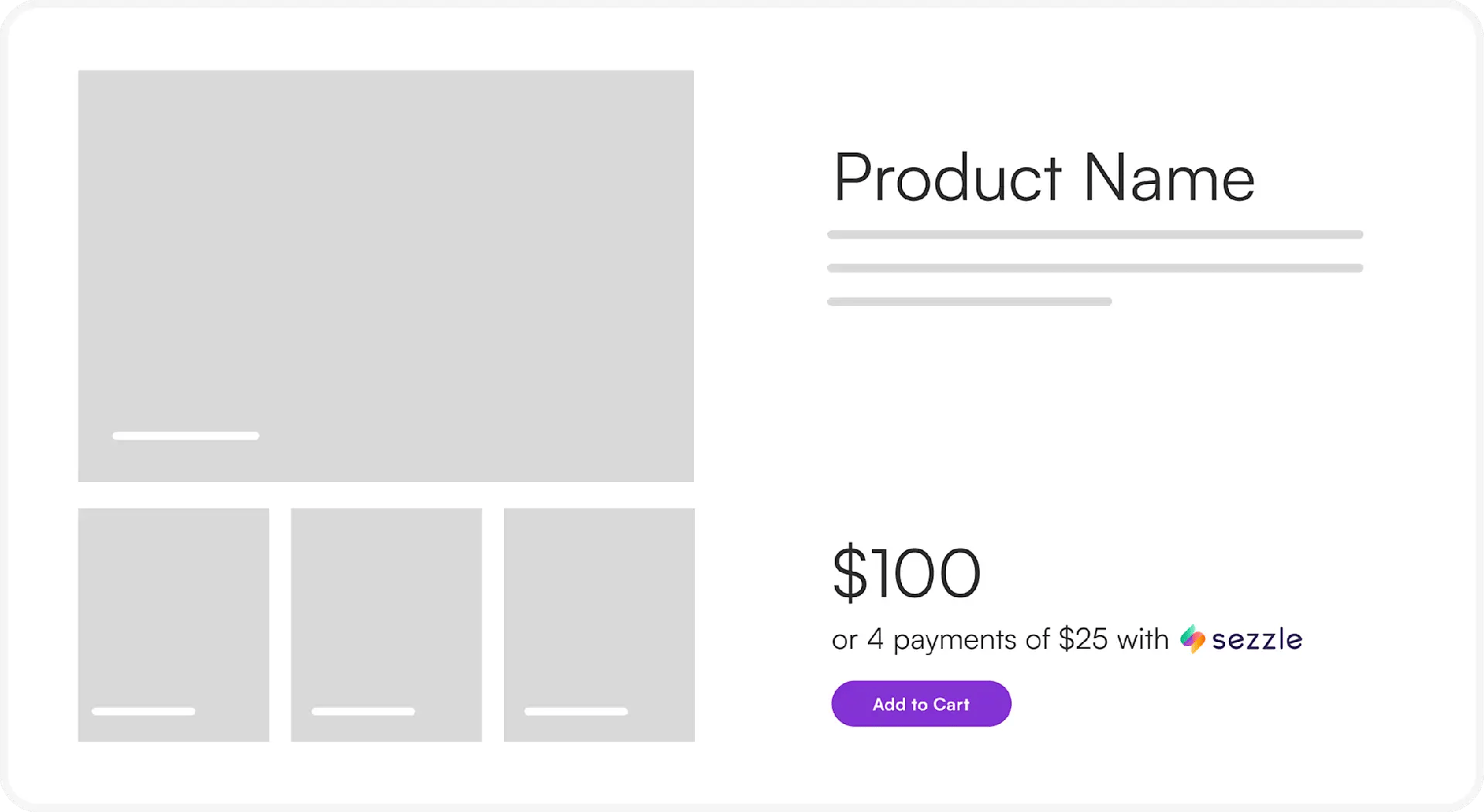
The Sezzle on-site messaging widget displays available financing options on product and cart pages, encouraging purchases. Follow the installation instructions below to add the widget to your website.
 ## Installation
* **One-Click Installation**: Many leading platforms offer one-click installation with Sezzle. [Check for compatibility with your platform](https://docs.sezzle.com/docs/plugins/).
* **Manual Installation**: If one-click installation is unavailable or incompatible with your theme, refer to the manual installation guide or contact [merchantsupport@sezzle.com](mailto:merchantsupport@sezzle.com) for assistance.
### On-Site Messaging Widget Script (required)
The following imports the Javascript file required to render the on-site messaging widget, along with any saved account settings. Place this script at the bottom of the code file for the HTML page where the widget is to render.
```html theme={"system"}
```
Replace `{merchant_id}` with your 36-character value from your [Merchant Dashboard](https://dashboard.sezzle.com/merchant/settings/business).
A pre-populated snippet should be provided in your Sezzle Merchant Dashboard Setup Checklist.
### Customization
Sezzle provides extensive configuration options to tailor the on-site messaging widget to your site’s needs. Our engineering team is available to ensure seamless integration with your website’s design and functionality. Contact [merchantsupport@sezzle.com](mailto:merchantsupport@sezzle.com) for assistance, or follow the next section to configure the widget yourself.
#### Merchant Configuration
Merchants may opt to manage their configuration internally. If your local configuration is being overridden by a different value, please contact Sezzle Merchant Support to remove the saved override.
The below configuration script must appear in the code *before* the widget script in the previous section.
## `document.sezzleConfig` Options
```html expandable theme={"system"}
```
```html expandable theme={"system"}
```
Allows multiple configurations for one store to suit different page types, layouts, or applications. View all available options for customization.
ID, class, or path to the element in the webpage where the product price text value will be detected.\
To indicate a path, subpaths are separated by '/', IDs are preceded by '#', classes by '.', and tag names are suffixed with index (`tagName-Index`). Indexes are zero-based.
e.g. '#ProductSection/.product-price/SPAN-1' would target the 2nd 'SPAN' element contained within elements that contain the 'product-price' class which are contained within the element with an ID of 'ProductSection'.
Path from `targetXPath` to the element after which the Sezzle widget should be rendered.\
Use '.' for sibling placement, '../' to move up to parents, and tag-index selectors to move down. Same syntax as `targetXPath`.
e.g. '../../BUTTON-0' would go to the grandparent element of the targetXPath and place the widget after the first button found within that container.
Specific word appearing in the URL of pages where the widget config should apply. Typical values are 'product' or 'cart'.
Updates the logo color to coordinate with different background colors. If not specified, the widget will attempt to detect the background color and apply a contrasting logo.
Available options: `dark`, `light`, `black-flat`, `white-flat`.
Custom styling to apply to the Sezzle widget container. Accepts CSS in JSON format. Keys must use camelCase, be wrapped in quotes, and separated by commas.
Key should be the CSS property you wish to set, in camelCase, value should be type string
Custom styling to apply to the Sezzle text within the widget. Accepts CSS in JSON format. Keys must use camelCase, be wrapped in quotes, and separated by commas.
Key should be the CSS property you wish to set, in camelCase, value should be type string
Custom styling to apply to the Sezzle logo within the widget. Accepts CSS in JSON format. Keys must use camelCase, be wrapped in quotes, and separated by commas.
Key should be the CSS property you wish to set, in camelCase, value should be type string
The path from the targetXPath to the observable element
Function receives two parameters. The first is the related element per `relatedPath`, the second is the widget that corresponds to this `targetXPath` element. Write a custom function to check condition on relatedPath, then perform an action on widget.
Direct child elements of `targetXPath` to be disregarded when detecting the price. Useful for handling variations between sale and regular-priced items.
Text strings within `targetXPath` to be disregarded when detecting the price and rendering the widget.
XPath of elements that should be hidden when Sezzle's widget is showing.\
Despite the name, this config accepts an array of XPaths.
e.g. \["#viabill-pricetag",".afterpay-paragraph","QUADPAYWIDGET-0"]
Alignment of the widget relative to the parent element.
Available options: `left`, `center`, `right`, `auto`
Screen width in pixels below which the alignment switches to `alignmentSwitchType`. Common breakpoint: 768px (for handheld vs desktop).
Alignment of the widget to apply when viewport width is narrower than `alignmentSwitchMinWidth`.
Available options: `left`, `center`, `right`, `auto`
Afterpay's logo is appended to widget content. When clicked, the competitor's modal will display.
Klarna's logo is appended to widget content. When clicked, the competitor's modal will display.
Minimum price in cents for which Sezzle can be selected at checkout. If the price at `targetXPath` is lower than this number, the widget will render with a note stating the minimum eligible price required. This configuration does not prevent a customer from checking out with Sezzle below this price. For more information on setting a gateway minimum, contact your Merchant Success representative or use the Contact Us section of the Sezzle Merchant Dashboard.
Maximum price in cents for which the widget should be rendered. If the price at `targetXPath` is higher than this number, the widget will not render on the page.
Language in which the widget text should be rendered. If the specified language is not supported, the translation will default to English.
Available options: `left`, `center`, `right`, `auto`
Can attach event listeners to DOM elements and re-initialize the widget.
The id or class of the element to observe
The event type for which to observe, upon which to re-render the widget
#### Simple Example
```html theme={"system"}
```
```html theme={"system"}
```
## FAQs
The widget SDK is fast and lightweight, and has not been shown to directly impact site performance. Additionally, it is designed to load last so it does not interrupt the user experience. If site performance is already slow, this may cause the widget to appear "late". Perform a [site performance test](https://pagespeed.web.dev/) before and after installation to confirm, being sure to review the itemized report, not just the overall score.
There is no cost associated with the widget itself. In fact, having widgets are a prerequisite to some of our merchant perks.
## Installation
* **One-Click Installation**: Many leading platforms offer one-click installation with Sezzle. [Check for compatibility with your platform](https://docs.sezzle.com/docs/plugins/).
* **Manual Installation**: If one-click installation is unavailable or incompatible with your theme, refer to the manual installation guide or contact [merchantsupport@sezzle.com](mailto:merchantsupport@sezzle.com) for assistance.
### On-Site Messaging Widget Script (required)
The following imports the Javascript file required to render the on-site messaging widget, along with any saved account settings. Place this script at the bottom of the code file for the HTML page where the widget is to render.
```html theme={"system"}
```
Replace `{merchant_id}` with your 36-character value from your [Merchant Dashboard](https://dashboard.sezzle.com/merchant/settings/business).
A pre-populated snippet should be provided in your Sezzle Merchant Dashboard Setup Checklist.
### Customization
Sezzle provides extensive configuration options to tailor the on-site messaging widget to your site’s needs. Our engineering team is available to ensure seamless integration with your website’s design and functionality. Contact [merchantsupport@sezzle.com](mailto:merchantsupport@sezzle.com) for assistance, or follow the next section to configure the widget yourself.
#### Merchant Configuration
Merchants may opt to manage their configuration internally. If your local configuration is being overridden by a different value, please contact Sezzle Merchant Support to remove the saved override.
The below configuration script must appear in the code *before* the widget script in the previous section.
## `document.sezzleConfig` Options
```html expandable theme={"system"}
```
```html expandable theme={"system"}
```
Allows multiple configurations for one store to suit different page types, layouts, or applications. View all available options for customization.
ID, class, or path to the element in the webpage where the product price text value will be detected.\
To indicate a path, subpaths are separated by '/', IDs are preceded by '#', classes by '.', and tag names are suffixed with index (`tagName-Index`). Indexes are zero-based.
e.g. '#ProductSection/.product-price/SPAN-1' would target the 2nd 'SPAN' element contained within elements that contain the 'product-price' class which are contained within the element with an ID of 'ProductSection'.
Path from `targetXPath` to the element after which the Sezzle widget should be rendered.\
Use '.' for sibling placement, '../' to move up to parents, and tag-index selectors to move down. Same syntax as `targetXPath`.
e.g. '../../BUTTON-0' would go to the grandparent element of the targetXPath and place the widget after the first button found within that container.
Specific word appearing in the URL of pages where the widget config should apply. Typical values are 'product' or 'cart'.
Updates the logo color to coordinate with different background colors. If not specified, the widget will attempt to detect the background color and apply a contrasting logo.
Available options: `dark`, `light`, `black-flat`, `white-flat`.
Custom styling to apply to the Sezzle widget container. Accepts CSS in JSON format. Keys must use camelCase, be wrapped in quotes, and separated by commas.
Key should be the CSS property you wish to set, in camelCase, value should be type string
Custom styling to apply to the Sezzle text within the widget. Accepts CSS in JSON format. Keys must use camelCase, be wrapped in quotes, and separated by commas.
Key should be the CSS property you wish to set, in camelCase, value should be type string
Custom styling to apply to the Sezzle logo within the widget. Accepts CSS in JSON format. Keys must use camelCase, be wrapped in quotes, and separated by commas.
Key should be the CSS property you wish to set, in camelCase, value should be type string
The path from the targetXPath to the observable element
Function receives two parameters. The first is the related element per `relatedPath`, the second is the widget that corresponds to this `targetXPath` element. Write a custom function to check condition on relatedPath, then perform an action on widget.
Direct child elements of `targetXPath` to be disregarded when detecting the price. Useful for handling variations between sale and regular-priced items.
Text strings within `targetXPath` to be disregarded when detecting the price and rendering the widget.
XPath of elements that should be hidden when Sezzle's widget is showing.\
Despite the name, this config accepts an array of XPaths.
e.g. \["#viabill-pricetag",".afterpay-paragraph","QUADPAYWIDGET-0"]
Alignment of the widget relative to the parent element.
Available options: `left`, `center`, `right`, `auto`
Screen width in pixels below which the alignment switches to `alignmentSwitchType`. Common breakpoint: 768px (for handheld vs desktop).
Alignment of the widget to apply when viewport width is narrower than `alignmentSwitchMinWidth`.
Available options: `left`, `center`, `right`, `auto`
Afterpay's logo is appended to widget content. When clicked, the competitor's modal will display.
Klarna's logo is appended to widget content. When clicked, the competitor's modal will display.
Minimum price in cents for which Sezzle can be selected at checkout. If the price at `targetXPath` is lower than this number, the widget will render with a note stating the minimum eligible price required. This configuration does not prevent a customer from checking out with Sezzle below this price. For more information on setting a gateway minimum, contact your Merchant Success representative or use the Contact Us section of the Sezzle Merchant Dashboard.
Maximum price in cents for which the widget should be rendered. If the price at `targetXPath` is higher than this number, the widget will not render on the page.
Language in which the widget text should be rendered. If the specified language is not supported, the translation will default to English.
Available options: `left`, `center`, `right`, `auto`
Can attach event listeners to DOM elements and re-initialize the widget.
The id or class of the element to observe
The event type for which to observe, upon which to re-render the widget
#### Simple Example
```html theme={"system"}
```
```html theme={"system"}
```
## FAQs
The widget SDK is fast and lightweight, and has not been shown to directly impact site performance. Additionally, it is designed to load last so it does not interrupt the user experience. If site performance is already slow, this may cause the widget to appear "late". Perform a [site performance test](https://pagespeed.web.dev/) before and after installation to confirm, being sure to review the itemized report, not just the overall score.
There is no cost associated with the widget itself. In fact, having widgets are a prerequisite to some of our merchant perks.