

- Tokenization during checkout — the customer authorizes you while completing a purchase. Available to all merchants.
- Standalone tokenization — the customer authorizes you without making a purchase.
Tokenization during checkout
To obtain authorization alongside a purchase:- Initiate and tokenize the order in a single session
- Redirect the customer to the checkout URL
Tokenization Process
-
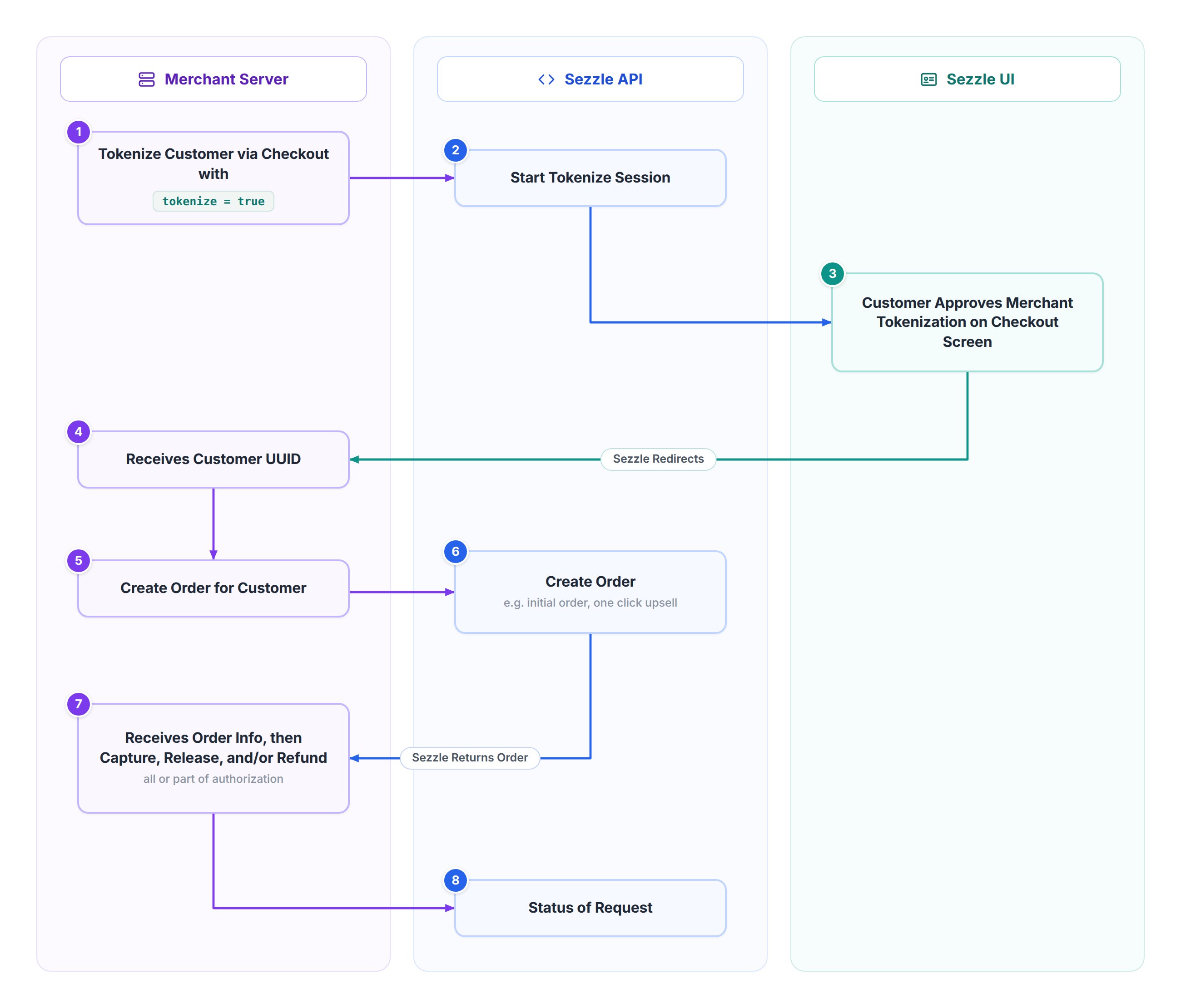
Tokenize Customer via Checkout
- The merchant calls
/v2/sessionwithtokenize: true, optionally including customer details to speed up registration for new Sezzle users. - Sezzle returns a session
tokenizetoken.
- The merchant calls
-
Merchant Redirects User to Checkout URL
- Customer sees option to allow merchant to process payments from their Sezzle account for future transactions.
- The customer may decide to allow this permission before completing their checkout.
- If agreed, Sezzle redirects back to the merchant’s session complete URL, appending a
customer-uuidquery parameter. - Alternatively, the merchant can call
/v2/tokenwith the session tokenize token to retrieve the UUID.
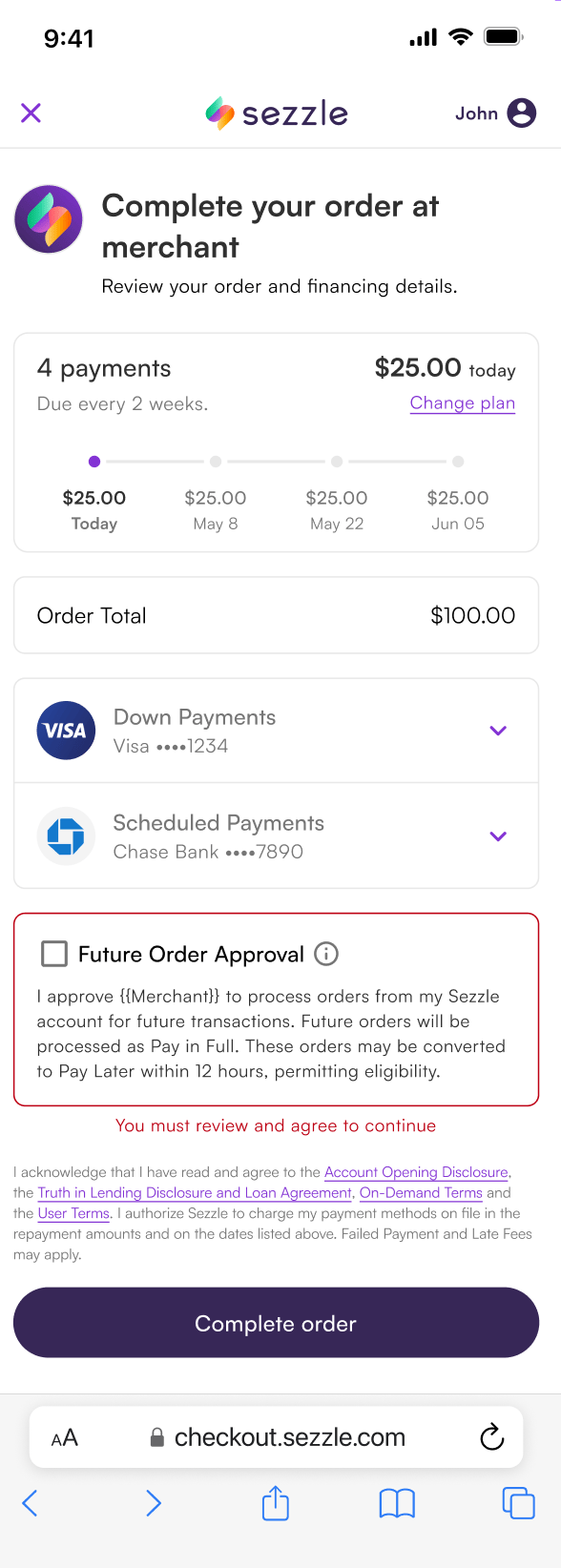
- Customer sees option to allow merchant to process payments from their Sezzle account for future transactions.
-
Charge Customer
- The merchant uses the
customer-uuidto create orders via/v2/customer/{customer_uuid}/order. - If the authorization is approved, the merchant can manage the order (release, capture, or refund) using
/v2/orderendpoints.
- The merchant uses the
Standalone tokenization
Standalone tokenization asks a customer to authorize you without making a purchase.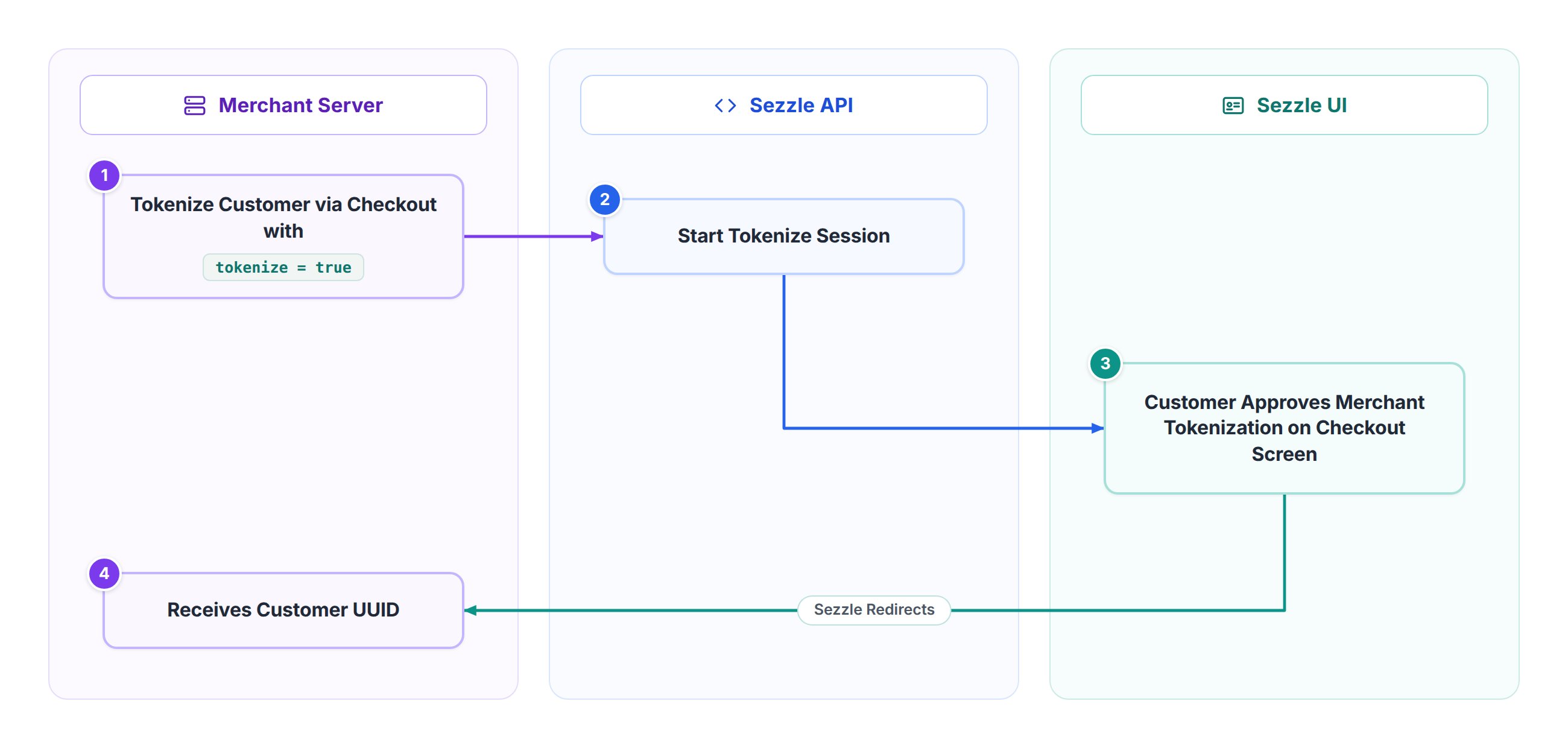
1. Create a tokenize-only session
CallPOST /v2/session with customer.tokenize set to true and no order object:
approval_url:
2. Redirect the customer to the approval URL
The customer sees the same consent screen as the checkout flow, without a purchase to complete. If they approve, Sezzle returns them to thecomplete_url you supplied on the session. Supply a cancel_url as well if you want a separate destination for customers who decline.
3. Retrieve the customer UUID
Because no order is involved, the customer UUID reaches you through three channels:- The
customer.tokenizedwebhook — the reliable, server-to-server channel. Treat this as your source of truth. - The return redirect — when the customer approves, Sezzle appends the customer UUID to your
complete_urlas thecustomer-uuidquery parameter. This is immediate but not guaranteed: the customer may close the tab before returning, and URL parameters should be verified server-side rather than trusted directly. - Polling — call
GET /v2/token/{token}/sessionwith thetokenize.tokenfrom step 1. Use this as the reconciliation fallback for any approval you did not receive through the other channels; the request token remains pollable for 24 hours.
GET /v2/session/{uuid} also returns tokenize.approval_url for a standalone session. No order block is returned, because no order exists:
4. Charge the customer
From here the flow is identical to tokenization during checkout — use the customer UUID to create orders via/v2/customer/{customer_uuid}/order and manage them with the /v2/order endpoints.
Notes
- Tokenization is optional, recommended only for charging via Sezzle outside standard checkouts.
- Orders created via customer UUID are treated the same as those from a standard Sezzle checkout.
Customers
Use the customers endpoints to:- Delete a customer
- Get details on an existing customer
- Get a list of customers
- Create an order for a customer
- Preapprove an amount for the customer