

Sezzle Express Checkout is only available for direct integration and WooCommerce merchants.
Shopper Experience
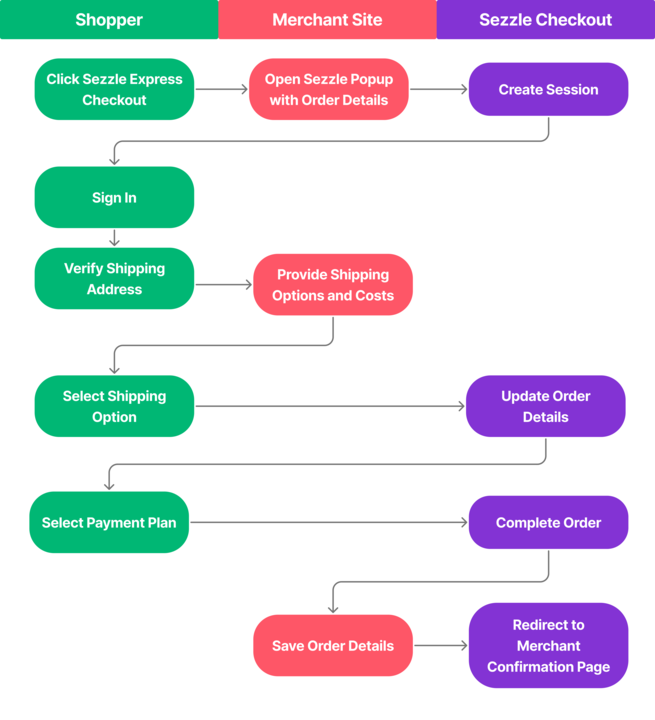
Sezzle shoppers can skip the manual entry on the merchant checkout by using the contact info and card details on their Sezzle account. Simply sign in and confirm shipping address, avoiding up to 20 fields.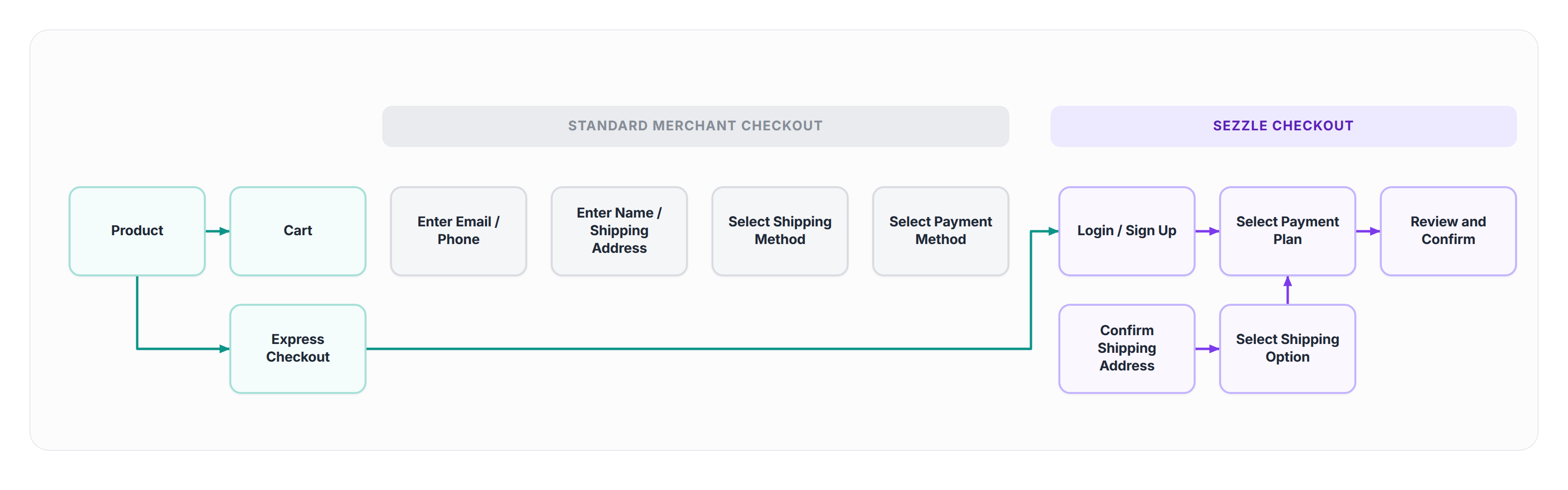
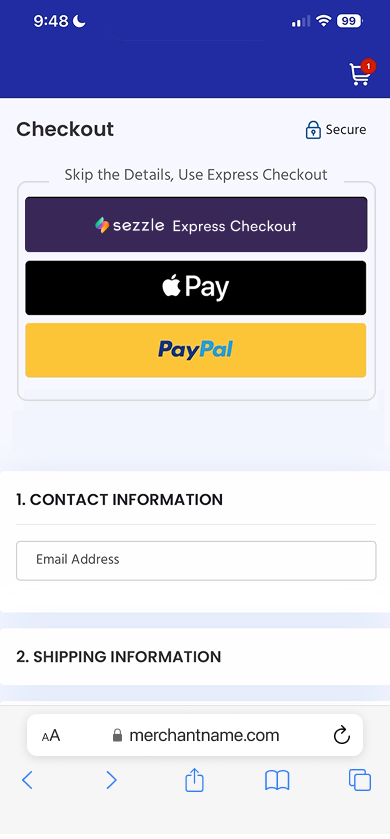
Shoppers click the Sezzle Express button to visit Sezzle’s checkout page.
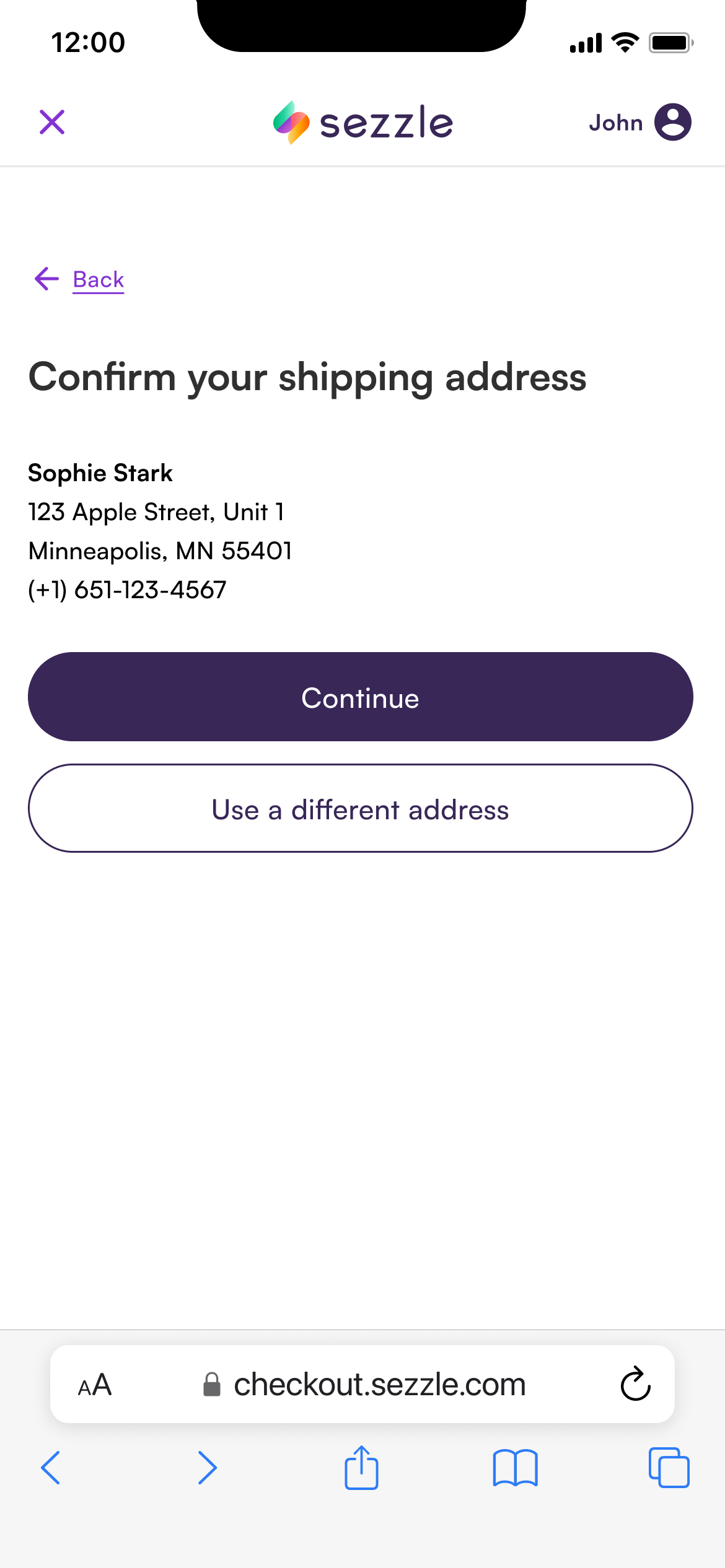
The shopper signs in to Sezzle and confirms their shipping address.
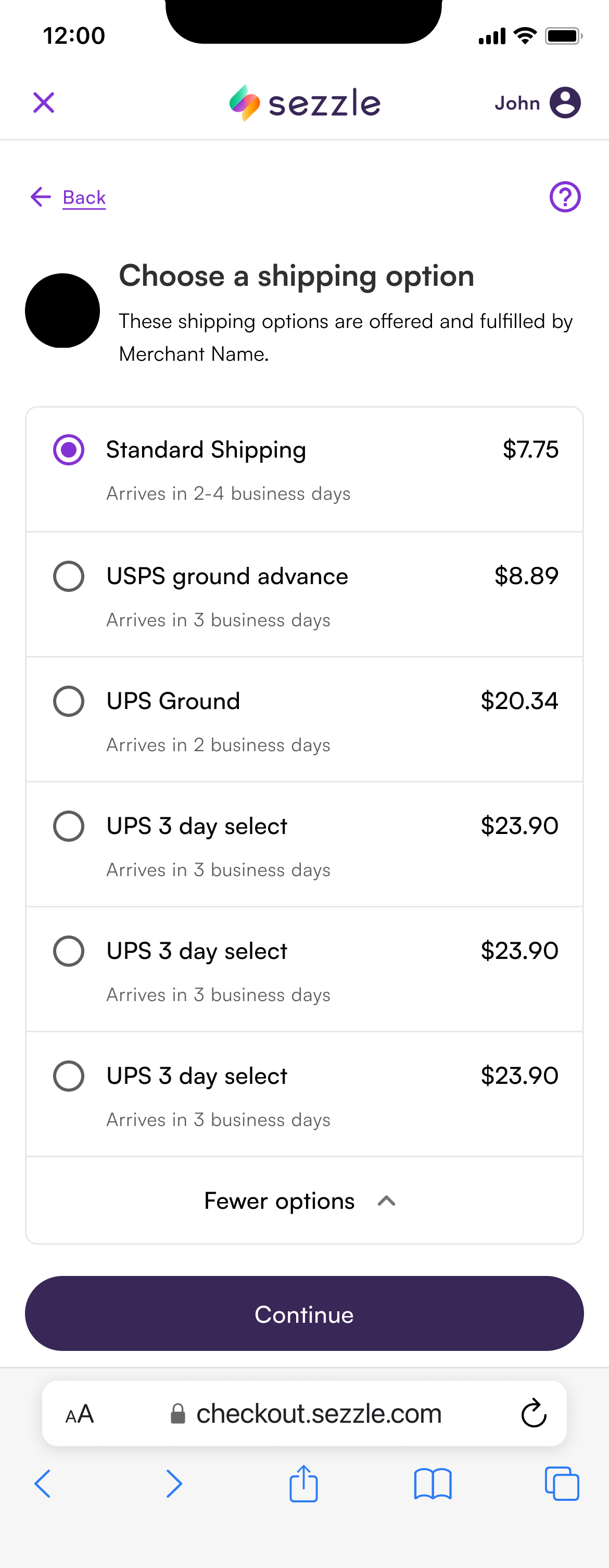
The shopper selects their desired shipping method.
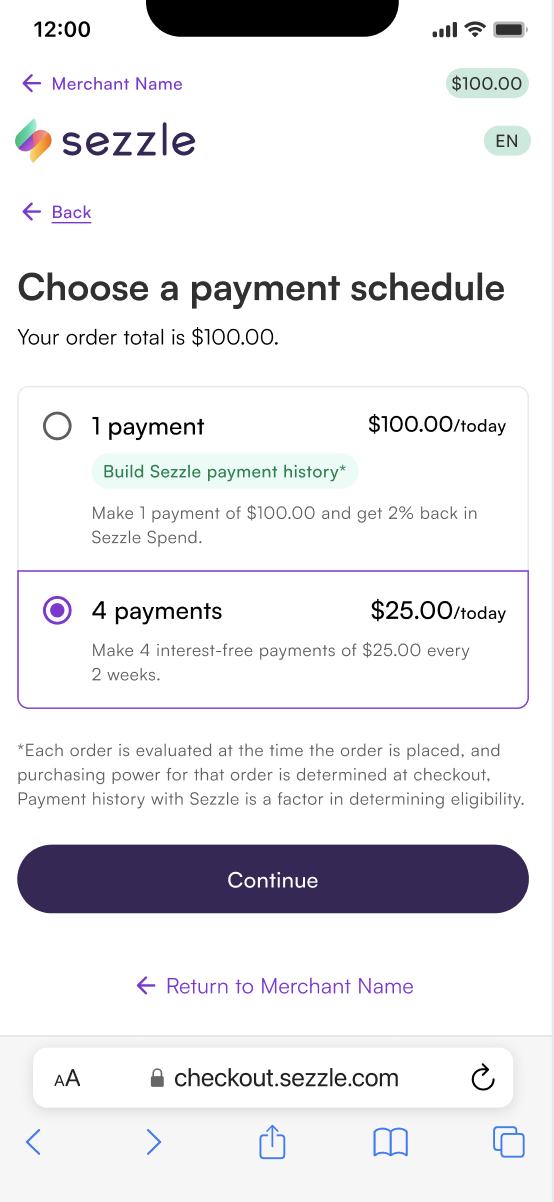
The shopper selects their preferred installment plan.
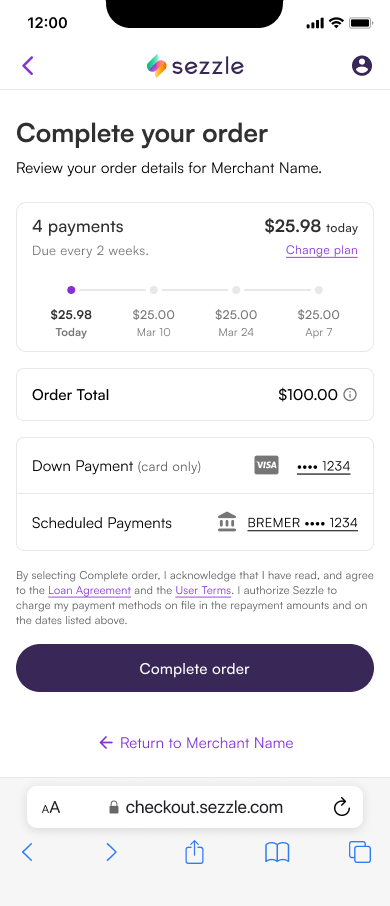
The shopper’s details are sent to the merchant.
Compare to Standard Checkout Flow
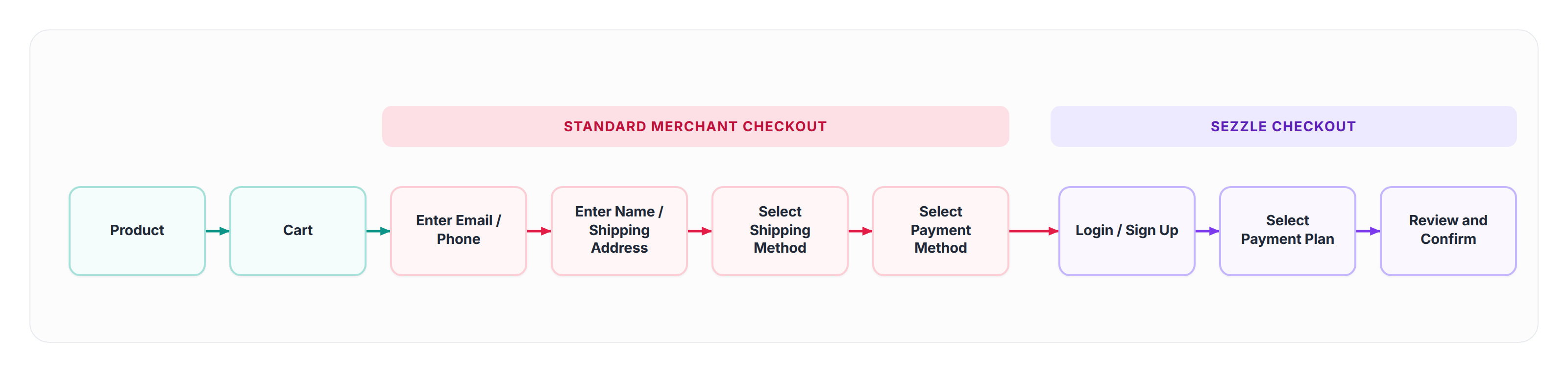
- Add Items to Cart and Proceed to Checkout
- Shoppers select their desired products and initiate the checkout process on the merchant’s website
- Enter Contact Information
- Shoppers manually input their name, email, and phone number
- Enter Shipping Details
- Shoppers manually input their address
- Select Shipping Method
- Shoppers manually select their shipping method
- Select Sezzle as Payment Method
- Shoppers choose Sezzle from the available payment options and are redirected to Sezzle’s checkout page
- Sign In and Complete Purchase
- On Sezzle’s site, shoppers sign in or create an account, confirm their payment plan (e.g., 25% upfront, three installments), and finalize the order
How It Works
FAQs
Is there an additional cost to implement Sezzle Express Checkout?
Is there an additional cost to implement Sezzle Express Checkout?
No. Express Checkout is available to all Sezzle partners at no extra cost. You’ll just need a Merchant ID (MID) to activate it.
Which platforms does Sezzle Express Checkout support?
Which platforms does Sezzle Express Checkout support?
Sezzle Express Checkout is only available for direct integration and WooCommerce merchants.
What are the prerequisites for Express Checkout?
What are the prerequisites for Express Checkout?
Your website or app must already be set up to accept Sezzle payments before enabling Express Checkout.
How do I implement Sezzle Express Checkout?
How do I implement Sezzle Express Checkout?
Implementation is done via direct integration. Follow our Express Checkout Quick Guide for step-by-step instructions. The implementation process should take no longer than 3-5 days.
What customer data does Express Checkout require?
What customer data does Express Checkout require?
Only essential order and customer information is used. This keeps the process secure, efficient, and privacy-first.
Can Express Checkout be used alongside other payment options?
Can Express Checkout be used alongside other payment options?
Yes. It can be offered alongside other payment buttons without disrupting your checkout flow.
Where is Express Checkout available?
Where is Express Checkout available?
Express Checkout is available in all regions where Sezzle Payments are offered.