Purpose
The checkout installments widget shows a sample installment plan, including installment amounts and due dates, at the point of final decision.
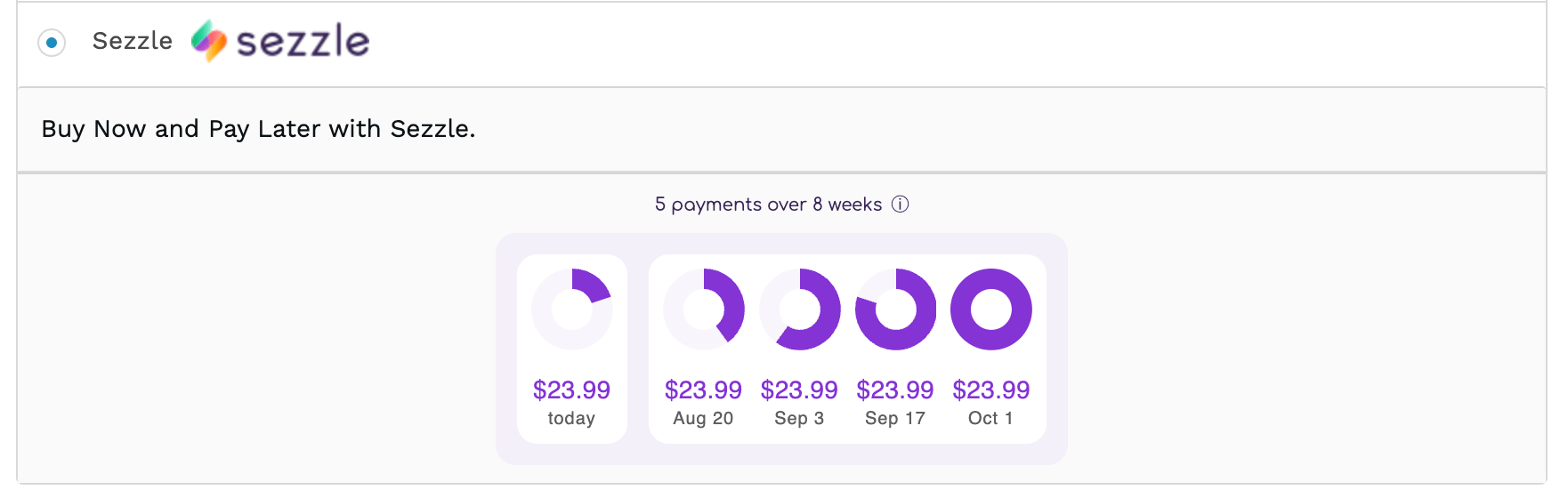
Installation
Select the implementation that fits your needs:NPM Implementation
Using npm:npm install @sezzle/sezzle-installment-widget@latest
Within your checkout page, add the following code snippet to import the library:
CDN Implementation
Within your checkout page, add the following code snippet to import the library:Static Implementation
Language will auto-detect, first by HTML lang attribute, then by user’s brownser default, and finally to EN.
Shopify Method
Compatible with Shopify Plus stores only.
- Log in to your Shopify Admin
- Go to
Online Store>Themes - On the theme you wish to edit, click
...then selectEdit Code - In the
Assetsfolder, clickNew Fileand name itsezzle-installment-widget.js - Copy+paste the code from Github, then click
Save - Paste the following into the bottom of the
templates/checkout.liquidfile in Shopify, then clickSave: - Back in the Javascript file, update the values of the following options as applicable, then click Save:
- merchantLocale (optional): The country code. Currently Sezzle is only available in the United States and its territories, and Canada. Defaults to “US”.
- currencySymbol (optional): The currency symbol to display in the installment widget. If unassigned, the currency symbol will be automatically detected in the targeted checkout total element contents or default to $
- checkoutTotal (required): The element where the checkout total is rendered. (Example value is given for Shopify default)
Platform-Agnostic Method
- Create a copy of the code from Github within your store’s theme code, then import it into the checkout page code.
- Invocation:
- Option 1 (recommended): To inject the placeholder element dynamically, add the following lines of code to run once the rest of the page has loaded, updating
sezzlePaymentLineto target the Sezzle payment method line, below which the installment widget asset will display: - Option 2: Enter the following two lines of code where the installment widget should appear:
- Back in the Javascript file, update the values of the following options as applicable, then Save changes:
- merchantLocale (optional): The country code. Currently Sezzle is only available in the United States and its territories, and Canada. Defaults to “US”.
- currencySymbol (optional): The currency symbol to display in the installment widget. If unassigned, the currency symbol will be automatically detected in the targeted checkout total element contents or default to $
- checkoutTotal (required): The element where the checkout total is rendered. (Example value is given for Shopify default, other top platform values saved as comments)
Configuration
Not applicable for static implementation
- Template
- Example
- Options