

Add Payment Method
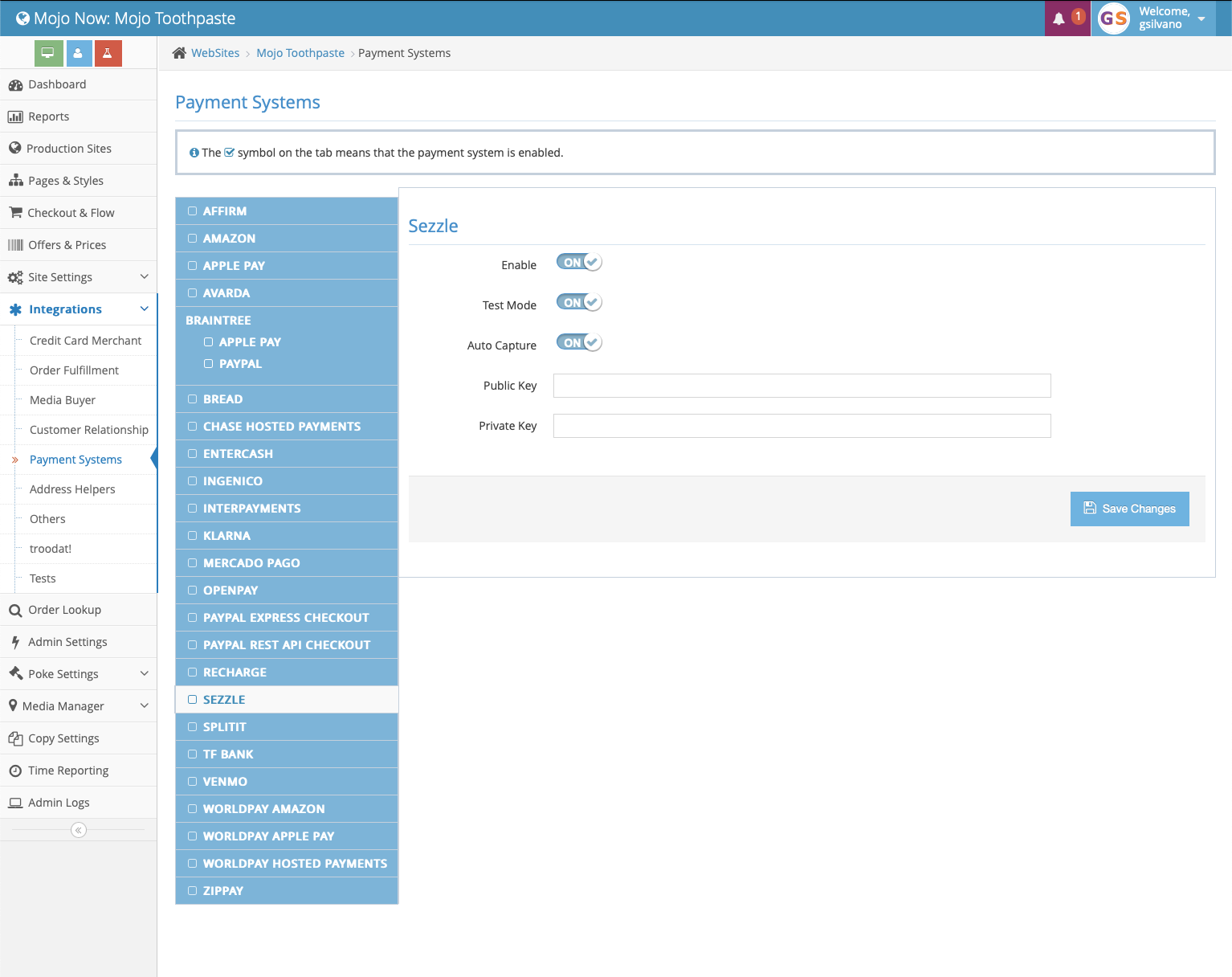
- Log into your Mojo admin account and navigate to the Integrations tab
-
Select
Payment Systemsin the dropdown menu and click onSezzlein the next window -
Toggle
EnabletoON -
Toggle
Test ModetoOFFunless you are testing your integration in Sandbox -
Enter your Sezzle Public and Private Key within the appropriate fields
-
Ensure consistency between your webpage offers and payment options upon final checkout
- Navigate to your Site Settings to enable or disable those features that you want enabled with Sezzle
TheHide pay-over-time solutionsswitch will be automatically hidden for those customers that choose the multi-pay order option. -
Once satisfied with your transaction flow, click the blue
Save Changesbutton- Mojo will use customer tokenization for upsells
- See customer tokenization or contact Mojo for more information